Save text once
Add a short label and the full phrase you want to insert. Keep replies, links, addresses, signatures, and templates ready without searching through Notes.
Phrase keyboard for iPhone & iPad
Save the messages, links, addresses, and templates you type every day. Organize them once, then paste them from your keyboard in any app.

Free to download
Lifetime Pro available
A faster way to reply
KeyBurst turns repeated typing into a simple library you can reach from the keyboard you already use.
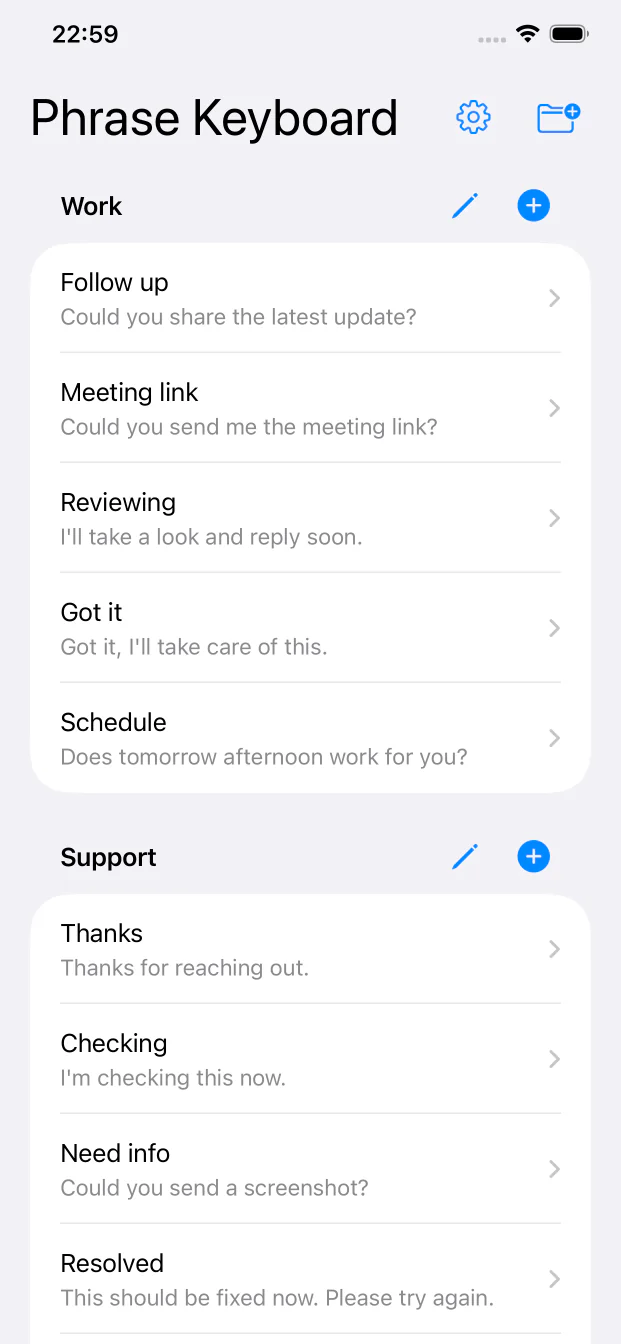
Add a short label and the full phrase you want to insert. Keep replies, links, addresses, signatures, and templates ready without searching through Notes.
Separate Work, Support, Sales, Personal, or any categories that match how you communicate.
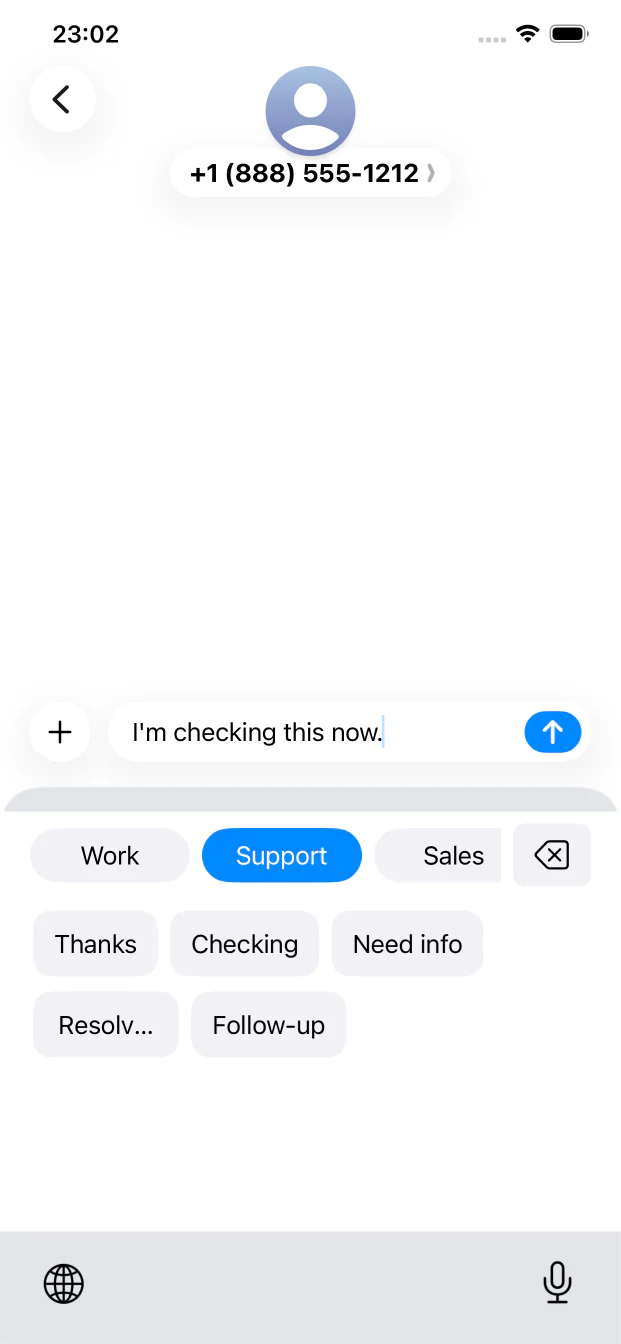
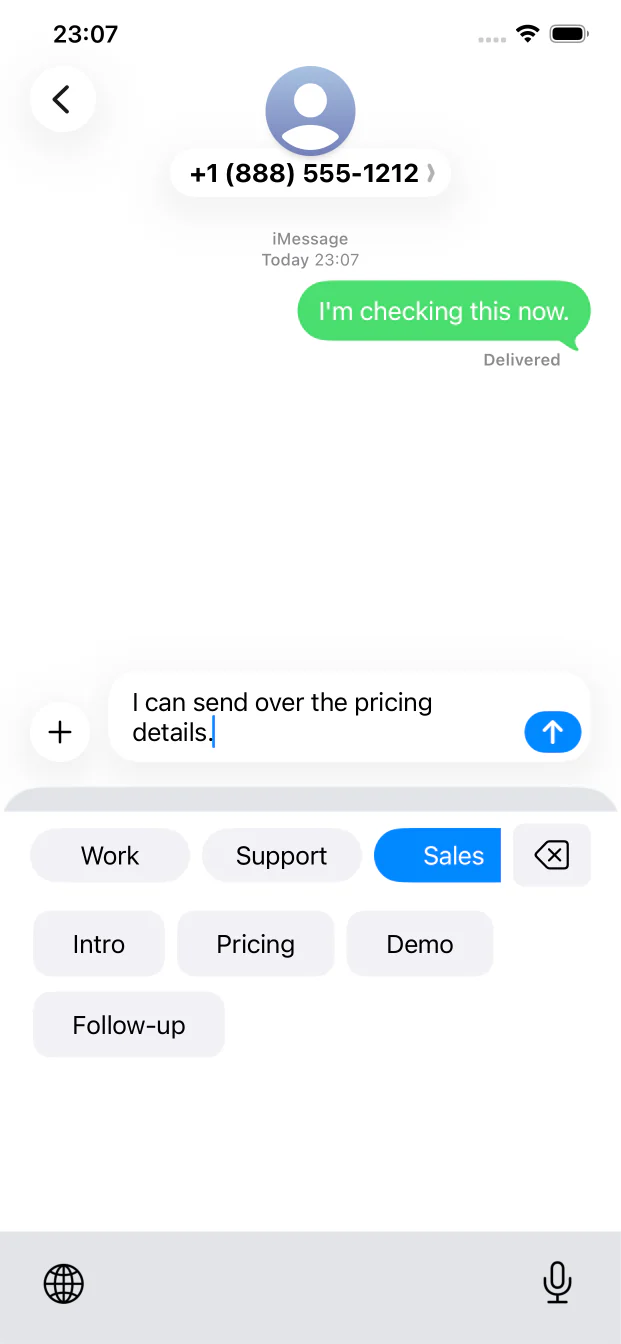
Switch to Phrase Keyboard inside another app, choose a group, and tap a saved phrase to insert it.
Lifetime Pro adds iCloud sync, plus unlimited categories and phrases. Your local App Store price is shown before purchase.
Built for the moment you type
No app switching. No selecting and copying. Your saved text appears directly inside the KeyBurst keyboard.
Three simple steps
Add categories, then save each phrase with a label that is easy to recognize.
Add Phrase Keyboard in iPhone or iPad Settings and allow Full Access so it can read your saved library.
Open any text field, switch keyboards with the globe key, and tap the phrase you want.
Made for real messages
Build a phrase library around the words you actually send—not someone else's template pack.
Keep acknowledgements, follow-ups, troubleshooting questions, and resolved notices consistent.
Reach pricing, demo, scheduling, and follow-up messages without retyping them.
Save collaboration details, profile links, disclosure lines, and common community replies.
Keep addresses, directions, signatures, and personal messages ready when you need them.
Start free
Try the complete phrase keyboard workflow for free. Upgrade once when your library grows.
KeyBurst has no advertising or analytics SDKs. The website uses privacy-restricted Google Analytics to count page visits and App Store link clicks without analytics cookies.
Questions, answered
A phrase keyboard puts text you saved inside a custom iPhone or iPad keyboard. Instead of opening another app to copy a reply, you switch keyboards and tap the phrase you want to insert.
No. You choose the group and tap a phrase before anything is inserted. KeyBurst does not send messages or replace text automatically.
Full Access lets the keyboard extension read the phrase library saved by the KeyBurst app in a shared app container. Although iOS also permits network access under this setting, the keyboard extension does not transmit your keystrokes or entered text to our servers.
No. Lifetime Pro is a one-time in-app purchase. Apple shows the price for your storefront before you confirm it.
The current App Store version supports iPhone and iPad running iOS or iPadOS 15.6 or later.
Visit the KeyBurst support page for setup help, purchase restoration, and direct email support.
About KeyBurst
KeyBurst is an iPhone and iPad phrase keyboard published by PI8. This official product site provides setup guidance, privacy information, terms, and direct support for KeyBurst users.
Build your personal phrase library and keep your best replies ready in every conversation.